
If you’re a Catholic parishioner trying to log in to Faith Direct to manage your online giving, there’s one important thing to know first: Faith Direct has moved to ParishSOFT Giving.
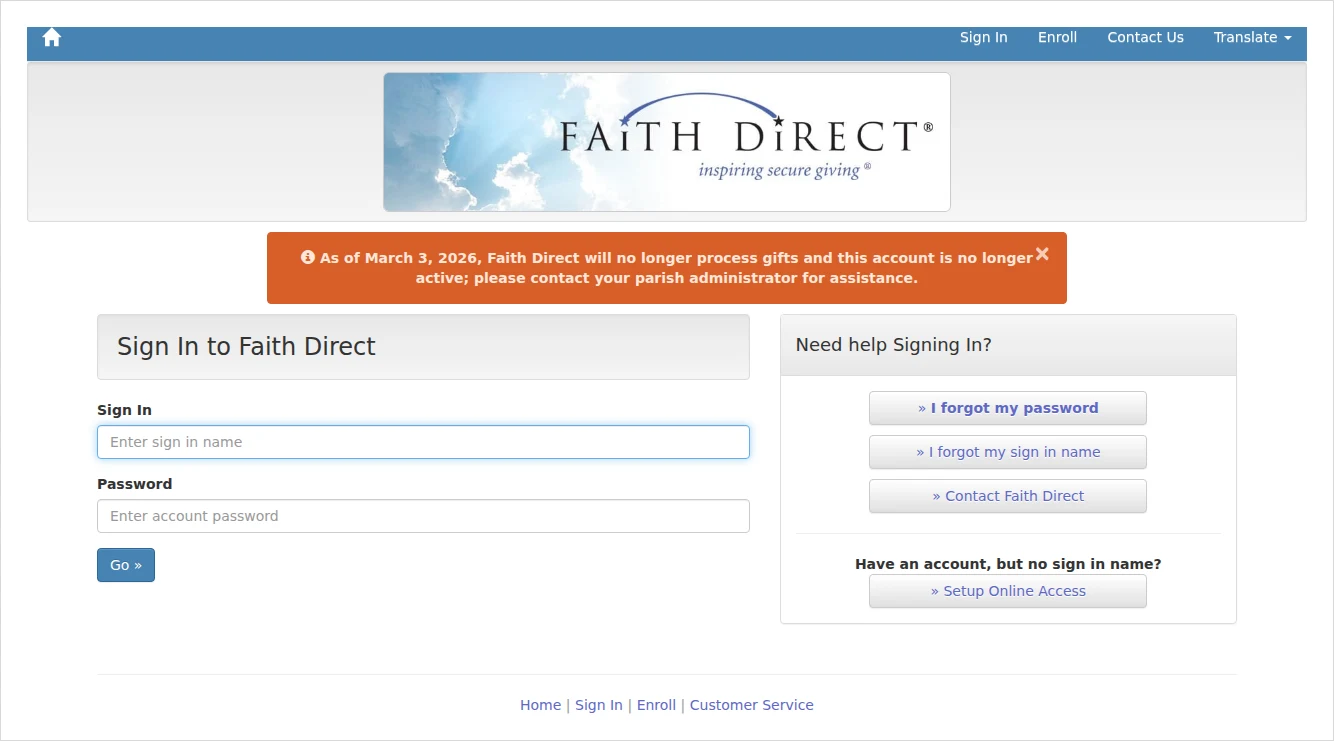
As of March 3, 2026, the old Faith Direct platform no longer processes gifts, and the old account is inactive. Parishes were migrated to ParishSOFT Giving (both are part of Ministry Brands) between late 2025 and early 2026 — so this is where you sign in now.
Where to log in now
- Go to the new ParishSOFT Giving login: giving.parishsoft.com.
- Enter your email and password, then click Log In — or use Login With MinistryID if you’ve set up that single sign-on.
If you were a Faith Direct donor (first login)
Good news: your information moved automatically. Your recurring gifts, payment methods, giving history and envelope number all transferred — you do not re-enroll. To get in the first time:
- Go to giving.parishsoft.com and click Forgot Password?
- Enter the email address your parish has on file. You’ll get a link to set a new password.
- Sign in with your email and new password. From there you can manage recurring gifts, view history and update payment.
New to online giving?
If you’ve never given online, start from your own parish’s giving link (usually a “Give” or “Online Giving” button on the parish website), which opens your parish’s ParishSOFT Giving page where you can create an account.
Common problems & fixes
- Can’t log in to Faith Direct at all? That’s expected — the old account is inactive since March 3, 2026. Use ParishSOFT Giving instead.
- First time on ParishSOFT Giving? Use Forgot Password? with your email to set a password — migrated donors don’t re-enroll.
- Not sure which parish or platform? Ask your parish office for the correct giving link.
ParishSOFT Giving donor support: 866-507-8757 or donorsupport@parishsoft.com.




Comments