
FORMED (formed.org) is a Catholic streaming and faith-formation platform from the Augustine Institute, offered free to members of subscribing parishes. Signing in is passwordless by default — here’s how it works.

How to sign in
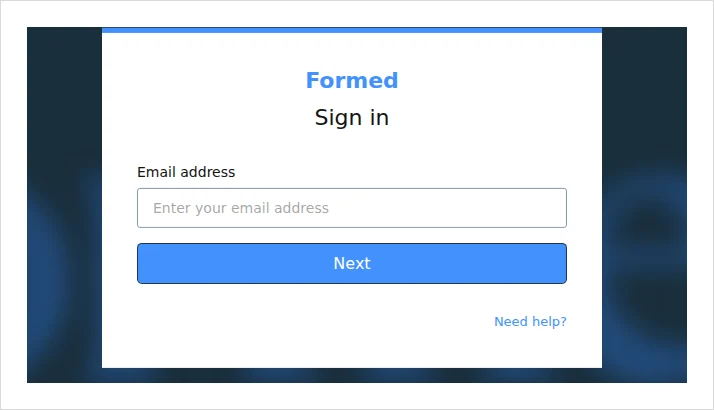
- Go to watch.formed.org/login.
- Enter your email address and click Next.
- Then either click “Email me a sign in link” (FORMED sends a one-time link to your inbox), or type your password if you’ve set one.
First time? Register through your parish
FORMED access comes through a subscribing parish or organization:
- Go to formed.org and click Find Your Parish Subscription (then continue to sign up).
- Enter your email and the one-time code emailed to you.
- Enter your parish ZIP code, select your parish from the results, and finish with your name. You may be prompted to create a password.
Apps, Roku and Apple TV
- FORMED app (iOS and Android): sign in with the same email link or password.
- Apple TV: open FORMED, choose Sign In, and you’ll see an activation code — enter it on the activate page on your phone or computer to unlock the TV.
- Roku: the Roku app uses a separate password from your web account. Use “Forgot password” inside the Roku app to set it.
Common problems & fixes
- Can’t find your parish? Double-check the parish ZIP code. If it’s still missing, your parish may not have a FORMED subscription — only subscribing parishes appear.
- No sign-in email arrived? Check your spam/junk folder, then request the link again.
- Roku login fails? Remember the Roku password is separate from your web password — reset it inside the Roku app.
For more, see the official FORMED Help Center or call 1-800-777-7502.
Stay safe: This is an independent how-to guide — we are not affiliated with the platform. Only ever enter your username and password on the platform’s official domain (linked above). We never ask for your login details.





Comments