
WeShare is the online giving platform many Catholic parishes use for donations. Important: the correct login is wesharegiving.org — the older weshareonline.org address now just redirects there. WeShare is part of Ministry Brands and is being unified under ParishSOFT Online Giving, but the WeShare name and login are still in active use.

How to sign in
- Go to wesharegiving.org.
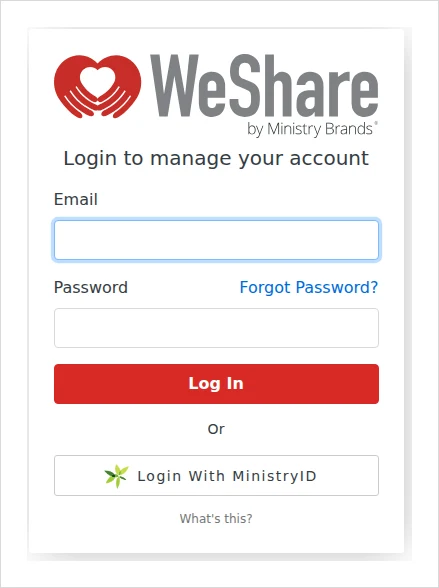
- Enter your email and password, then click Log In — or use Login With MinistryID for single sign-on.
- Once in, you can set up or edit recurring donations, give one-time gifts, view your history and update payment methods.
Finding your parish’s giving page
WeShare is parish-specific. The reliable way in is the “Give”, “Online Giving” or “WeShare” link on your own parish’s website — there’s no global parish search on the giving site. Each parish has its own page (a wesharegiving.org/app/giving/WeShare-… address).
First time giving on WeShare?
Your account is created during your first donation:
- On your parish’s WeShare page, choose a collection (e.g. Sunday plate), pick one-time or recurring, and enter your amount, payment method and contact information.
- You’ll receive a temporary password by email. Log in at wesharegiving.org with it within 24 hours to set a permanent password.
Can’t find your parish’s page? Use the giving link on your parish website, or call your parish office — they’ll point you to the right WeShare page.
Common problems & fixes
- Forgot your password? Use Forgot Password? on the login page — enter your email and you’ll get a reset link.
- Old weshareonline.org bookmark? It still works (it redirects), but save wesharegiving.org as the current address.
- Temporary password expired? It’s only valid for 24 hours — request a password reset to set a new one.
WeShare support: 877-316-0260, or the Ministry Brands Giving Help Center.
Stay safe: This is an independent how-to guide — we are not affiliated with the platform. Only ever enter your username and password on the platform’s official domain (linked above). We never ask for your login details.





Comments